
Check-Ins
A check-in is a career conversation between you and an assessor, usually your manager. You both rate your skills against a position, then agree the final results together.
Start a check-in
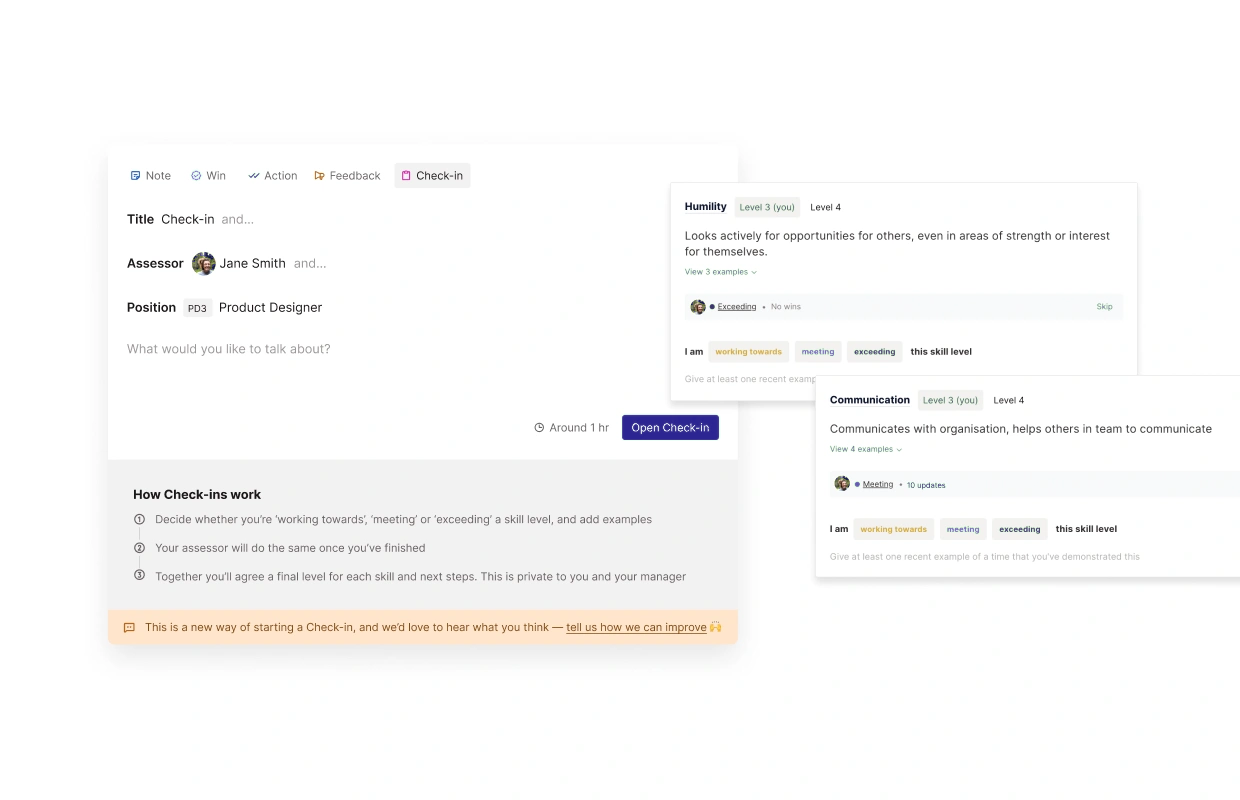
Click Add at the top of the left-hand menu and choose the Check-in tab. You can also start one from the Check-ins page.
Enter a Title, for example "Q2 check-in".
Choose your Assessor. Your manager is selected by default.
Check the position. You can only pick a different position if your organisation allows it.
Add any focus areas or goals (optional), then click Start Check-in.
Managers can also start a check-in on behalf of a report.
The three steps
Self-assessment: rate yourself on each skill and add notes.
Assessor review: your assessor rates each skill and adds comments. They can choose to view or hide your answers while they do.
Review together: you meet and agree the final level for each skill. We recommend setting aside 30 minutes.
If your organisation uses Joint Review, you may see a Start Joint Review option. This skips the first two steps so you complete the check-in together in one session.
Skipping a skill: if you've rated a skill in a previous check-in, you can click Skip. Your most recent final level is carried over. Click Unskip to rate it again.
The summary
A completed check-in shows your overall result, a Skill map, Strengths and Areas to improve, a summary, and Actions for next steps. To export it, use Download and choose CSV or PDF.
How the overall result is worked out
The summary shows how you compare with the position you checked in against, for example: "You were Working Towards Senior Software Engineer, 7% away".
Add up the required levels for every skill in the check-in. This is the required total.
Add up the final levels you and your assessor agreed. This is your total. Skills without a final level count as zero.
Compare the two:
Your total is lower: Working Towards, shown as "X% away".
Your total is the same: Meeting.
Your total is higher: Exceeding, shown as "X% above".
The percentage is the difference divided by the required total, multiplied by 100, then rounded to the nearest whole number.
Example: Jane checks in against Senior Software Engineer. Its five skills require 15 levels in total. Jane's agreed levels add up to 14. The difference is 1, and 1 ÷ 15 × 100 = 6.7, so Jane is shown as 7% away.
Note
Your organisation may use its own rating labels instead of Working Towards, Meeting and Exceeding.
Comparing with another position: on the summary, under Compare skill profile to, you can pick a different position. It adds up every skill the other position requires, but only counts your levels for skills that were in this check-in. So a large gap can just mean the other position has skills you haven't been checked in on yet. Look at the Skill map to see which skills make up the difference.
Frequently asked questions
Who can see my check-ins?
You, your assessor, your reporting line and your organisation's admins.
What if my position changes later?
Completed check-ins are a snapshot. Later changes to positions or skills don't alter them.